Downloads
Download universal GrindEQ installer (32-bit and 64-bit compatible)
DOWNLOAD GrindEQ Math Utilities 2024
If your antivirus blocks downloading, try this link: GrindEQ_Math_Utilities_2024.zip
| Please register your copy of GrindEQ | We offer a fully functional evaluation version for potential users to "try before you buy" |
| REGISTER NOW | 3 free trial runs are INCLUDED |
We offer a fully functional evaluation version for potential users to "try before you buy" | |
3 free trial runs are INCLUDED | |
Installation You must have the Administrative Rights on your computer: right click on the executable file and select Run as administrator.
Select modules you want to install. You will be able to install other modules later. | 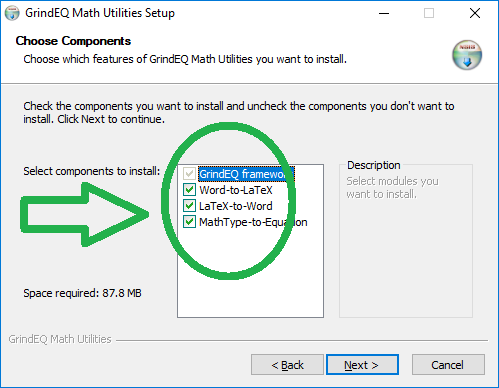 |
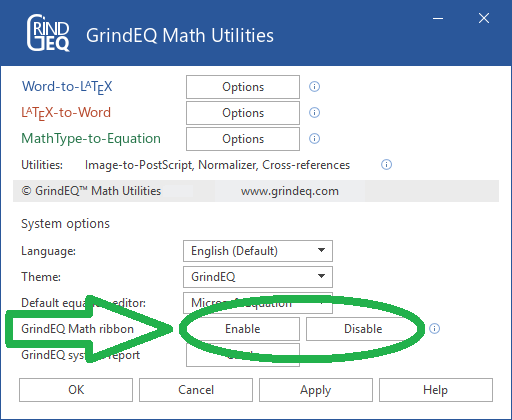 | After the installation of GrindEQ Math Utilities is complete, choose the GrindEQ Options from the Windows Start menu. And then enable (or disable) optional GrindEQ Math ribbon, which will be integrated into Microsoft Word.
Note, the GrindEQ Math ribbon contains macros. If your antivirus does not allow macros, use standard dialogs: |
Languages and themes
Currently national languages are being prepared for downloading. Everyone is welcome to supply own languages and themes, please visit Languages and themes specifications.
Please contact support@grindeq.com for collaboration details.
Copyright © 2026 GrindEQ. All rights reserved.
1EQUATION OÜ•SEPAPAJA 6, 15551 TALLINN, ESTONIA


